If you work in SEO and Content, you know the landscape has shifted drastically since 2023. What used to take hours of manual research and dozens of open tabs now needs to be solved in minutes to maintain competitiveness.
At Niara, our mission has always been to simplify SEO to accelerate your results. We have evolved from being just a writing tool to becoming a complete platform that unifies data, strategy, execution, and measurement.
We receive questions every day like: “Where do I start?”, “How do I know if the text is actually good for Google?” or “I’m not an SEO expert, will I be able to use it?”.
The answer is: Yes, you will. Niara was built precisely to remove the technical complexity from your path.
In this guide, I will show you the exact path — click by click — to go from zero to a ready-to-publish, optimized article with high ranking potential, even if you’ve never done this before.
The 6-Step Workflow: From Planning to Publishing
Step 1: Brand Guidelines (Do this just once per project)
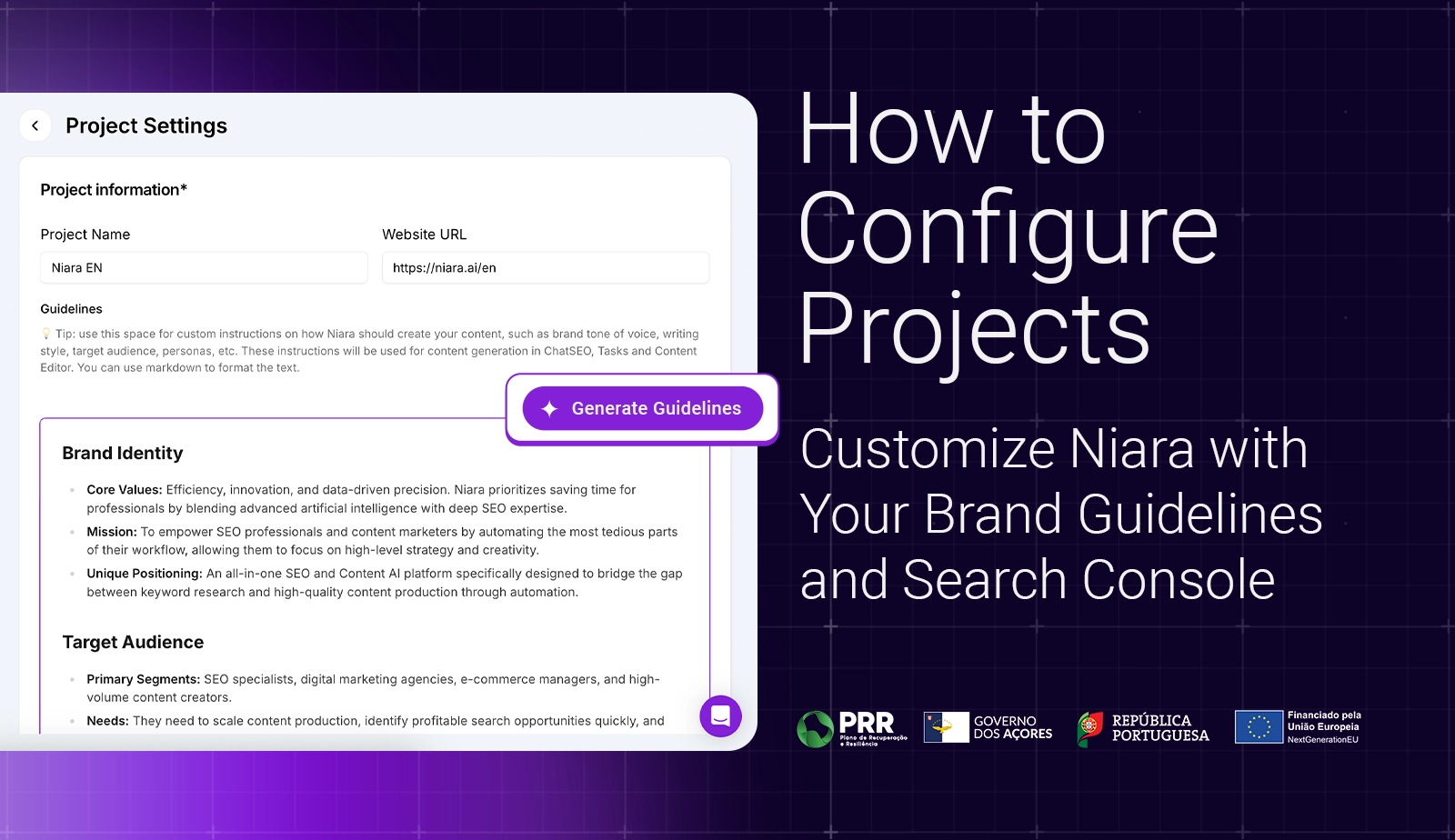
Before writing, we need to “teach” Niara to speak like you or your brand. The biggest fear when using AI is getting robotic text. To avoid this, we will configure your identity.
Where to click?
In the left sidebar menu, go to Project Settings > Brand Guidelines.
What to do?
Fill in the fields with your company’s personality. For example:
- Tone of voice: “Friendly, educational, and authoritative.”
- Target Audience: “Beginners in digital marketing.”
- What to avoid: “Do not use technical jargon without explaining the meaning.”
Why is this important?
By saving this, Niara “internalizes” your brand identity. You won’t need to repeat these instructions ever again. All your texts generated by ChatSEO, Content Flow, Bulk Content, and other features will be born with your unique voice.
Step 2: Choosing the Topic (No Guesswork)
The number one mistake beginners make is writing about what they “think is cool.” To get results, you need to write about what people are actually searching for.
Where to click?
In the left-side menu, click on Authority Map.
What to do?
- Connect your Google Search Console: Make sure GSC is integrated with Niara. The Authority Map analyzes your actual performance data to provide an accurate diagnosis.
- Define your goal: Indicate whether you want to strengthen brand recognition, educate your audience, build authority, or attract customers ready to buy.
- Receive your ready-made strategy: Niara will process your data, group your content into clusters (topics), and classify them as Dominant, Growing, Opportunity, or Building.
The map will show you exactly which topics you already master and, more importantly, will point out the content gaps that need to be filled to increase your relevance.
Why is this important?
Based on your own data, the Authority Map focuses your attention on what will truly drive results for your brand. It translates the complexity of Google Search Console into a clear action plan, indicating where you should invest:
- Topics where the brand is already an authority.
- Subjects that are gaining traction on the site.
- Content with high impressions but few clicks.
- Topics that are not yet performing well but are essential for your niche.
Instead of getting lost in spreadsheets, you receive a diagnosis that shows where to optimize, where to accelerate, and where to build, ensuring that every article has a clear strategic purpose.
“Niara, my site is new and I don’t have data yet.”
Ideally, your site should already have some data history in Google Search Console. The more information Niara has, the more precise and detailed your Authority Map will be.
However, the Map works with the data that already exists. If your project is new but has started to generate some impressions and clicks, the tool will analyze this initial performance and show the first signs of where your strengths and opportunities lie. It adapts to your situation, whether you are an established brand or a project in its early stages.
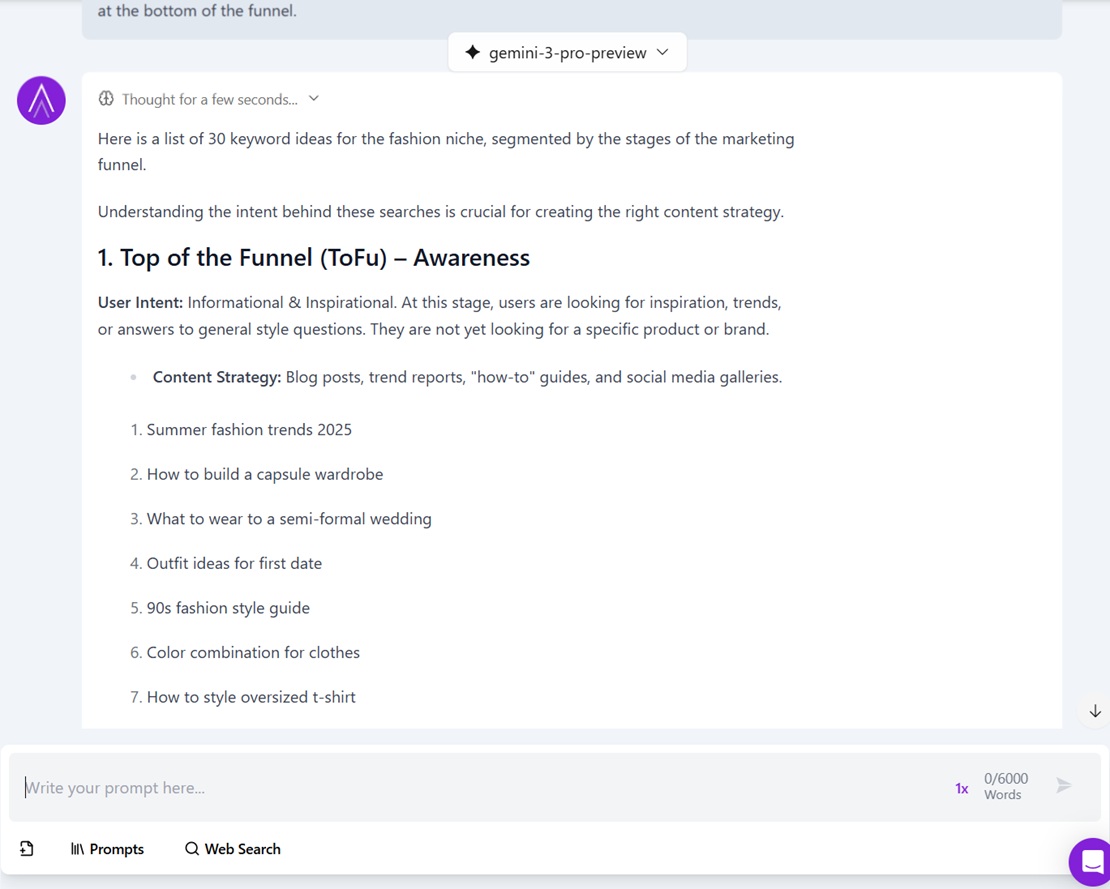
Another option is to use Niara’s chat. In ChatSEO, access the Prompt Library, choose a ready-made template for keyword research, and get numerous keyword suggestions in seconds!
Step 3: SEO Briefing (Content Flow Step 1)
Now the magic begins, and you gain real time (about 10x faster). It is no longer necessary to open Word or Google Docs and juggle multiple browser tabs. Let’s use the Content Flow.
Where to click?
In the left sidebar menu, click on Content Workflow.
What to do?
- Enter your keyword or the term you want to target in your article.
- Select the SERP country and Language: United States / English, for example.
- Proceed to the next step.
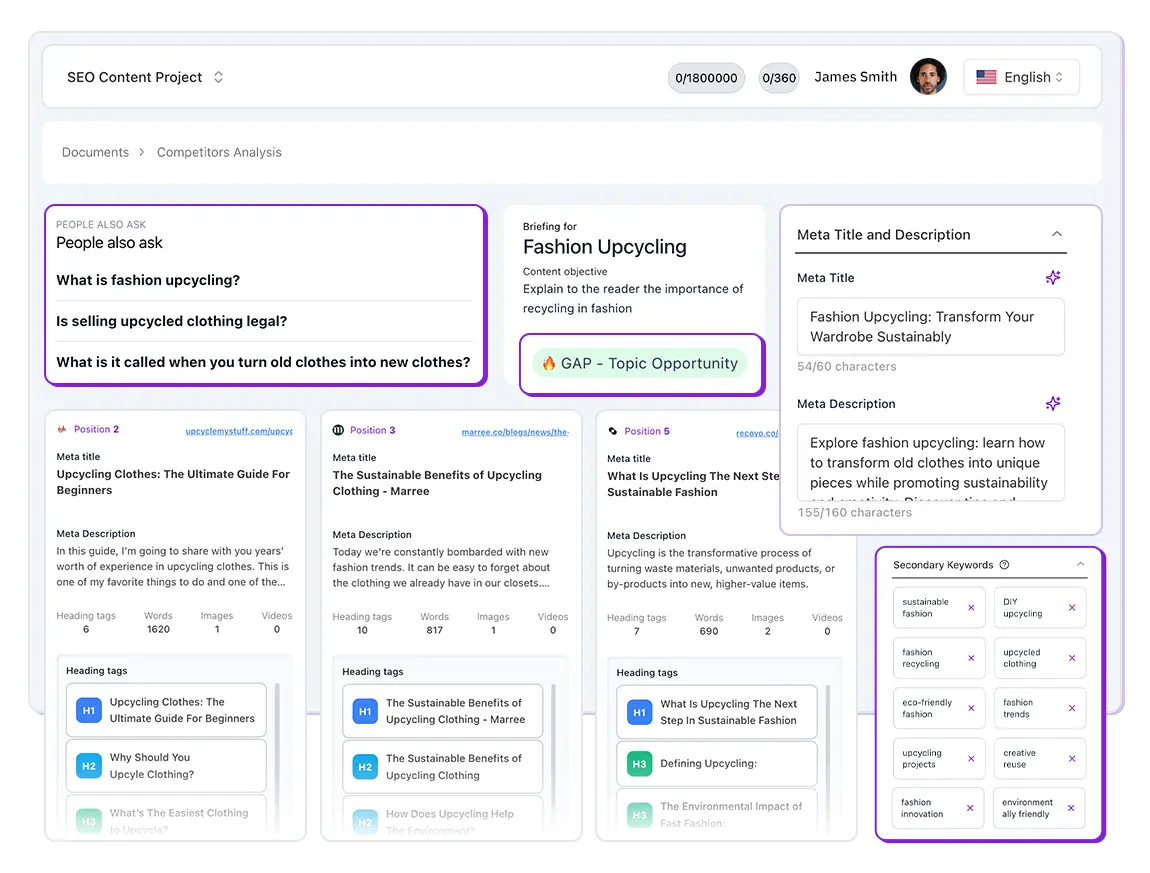
What is happening now? While you wait a few seconds, Niara is going to Google, reading in real-time the sites that appear on the first page, analyzing what they wrote, identifying content gaps, and with one click, building a Briefing (outline) superior to theirs.
You will receive on the screen:
- User Search Intent.
- Title and Meta Description suggestions.
- The text structure (H2 and H3 headings) based on what is already ranking and content gaps.
- Frequently Asked Questions (PAA) to answer in the text.
- Suggestions for secondary and semantic keywords.
Your task: Read the structure. Like it? Click Continue to Briefing Review (on the right side, at the bottom of the generated briefing) and move to the Content Creation stage.
Step 4: 1-Click Writing & Content Score SEO (Content Flow Step 2)
Here we answer the two most common questions: “How do I know the article is optimized?” and “How do I know my text is unique?”
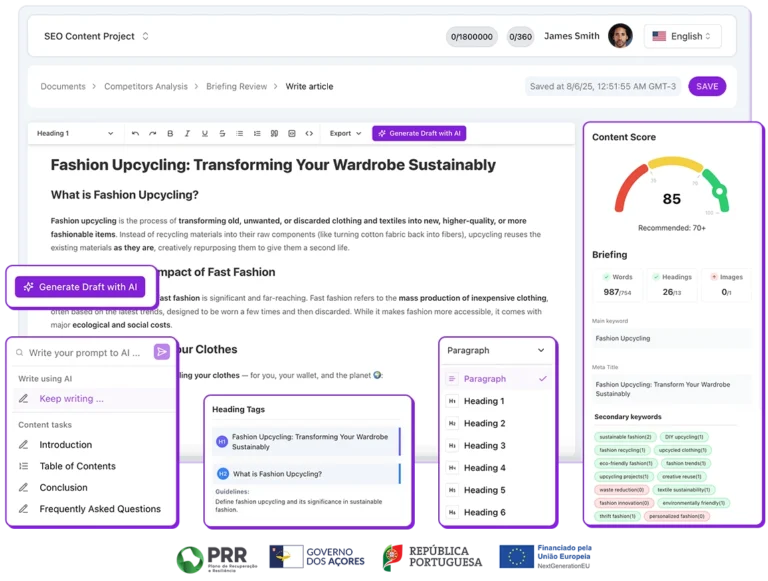
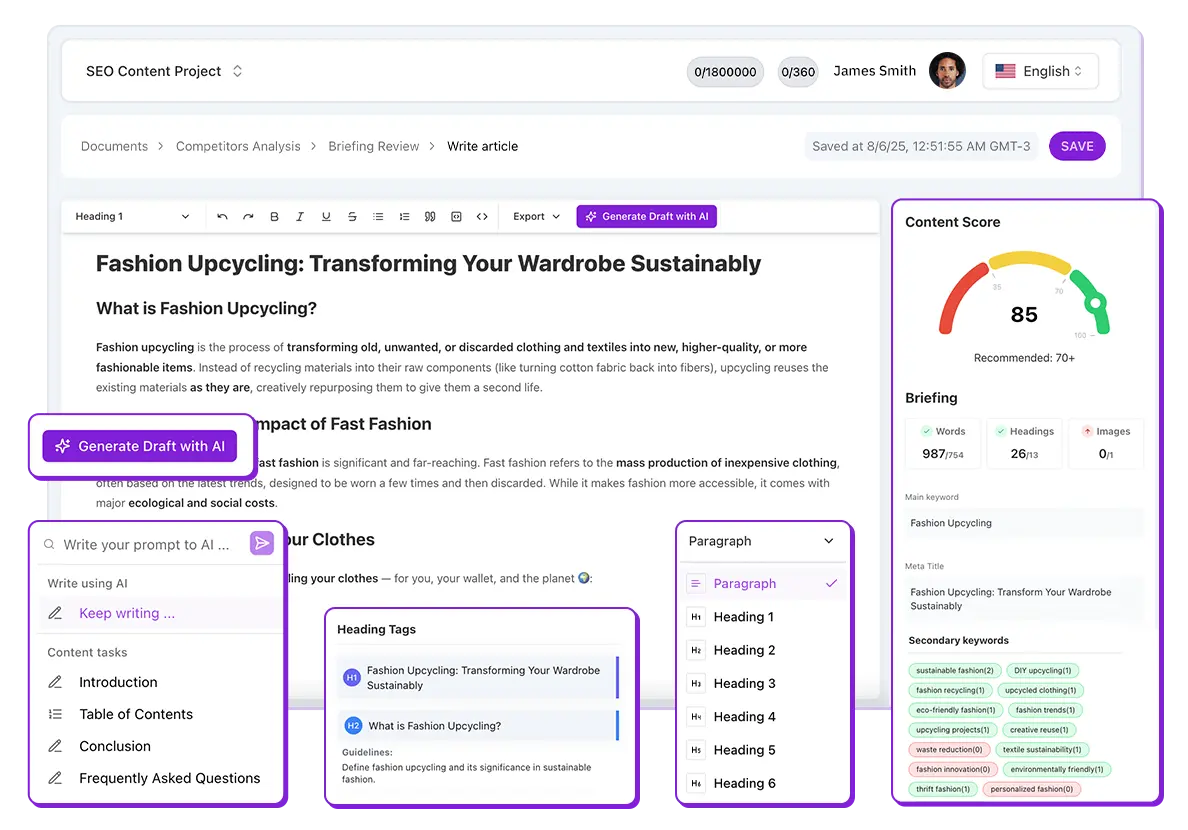
When you click Generate Draft, Niara will write the full text for you. But it will take into account several exclusive differentiators:
- Your Brand Guideline specifications.
- The briefing structure generated in the previous step.
- SEO rules (optimization for search engines).
As the text takes shape, watch the sidebar: it’s our SEO Content Score. It analyzes your text in real-time and assigns a score from 0 to 100:
- Red/Orange Score: The text still needs adjustments.
- Green Score (above 80): Your text is excellent and ready to compete on Google.
What you should do:
Look at the suggestions in the sidebar. If Niara says “Add the keyword to the title” or “The text is too short,” make these small manual adjustments until the score turns green.
This is how we technically guarantee that the article has the conditions to rank well on Google. It’s not luck; it’s math and data.
And you can create content in multiple languages. Besides US English, Niara generates content in UK English, Portuguese (Brazil/Portugal), and Spanish (LATAM/Europe).
Step 5: Technical and Visual Optimization
Text written and score green? You’re almost there.
- Images: Use ChatSEO to ask for prompt suggestions to generate images in generative AIs, or use our Alt Text Generator to automatically create optimized Alt Text for images you already have.
- Structured Data: Don’t rely on complex plugins. In the ChatSEO Prompt Library, choose the model “Technical SEO > Structured Data,” or if your article is already published, access the Structured Data Generator, choose “Article,” and copy the generated code to your site. This helps Google understand your content faster.
Check out all our extra tools here.
Step 6: Optimization for LLMs (Google AI Mode)
Google has changed with AI Overviews. Your content needs to be ready to be read by AIs.
But the question remains: “How do I create content good enough to be referenced by AIs?”
With that in mind, based on official Google documentation, we created Google AI Mode Insights. Although new, this tool has quickly become a client favorite due to its efficiency and speed in achieving results in AI summaries.
Where to click?
Click on the left sidebar menu Extra Tools > Google AI Mode Insights.
What to do?
Enter the URL of your published article, and Niara will perform a “Query Fan Out” diagnosis.
It will tell you exactly which topics are missing for your text to be considered the most complete answer and have a chance of appearing in AI-generated responses.
Simplifying: It will check if you forgot to talk about any important detail of the subject. If the tool says: “You missed talking about X,” go to ChatSEO and ask it to suggest the content for you to add to your article, or if you used Content Flow, edit your article with the help of Niara’s AI.
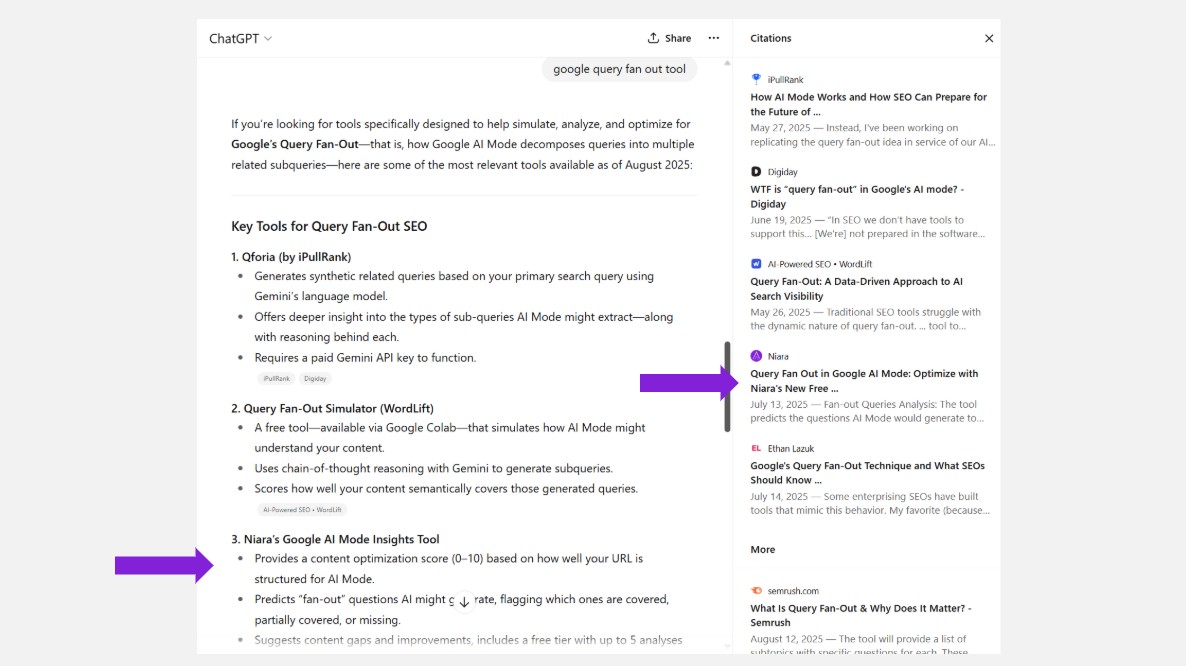
And the best part: ChatGPT, Perplexity, and other LLMs have similar Query Fan Out concepts, and by optimizing with Google AI Mode Insights, your content may also appear in various other AIs.
Niara Mention on ChatGPT
Published? Now Monitor Success
Track metrics, measure results
The work isn’t over. Now it’s time to see the Return on Investment (ROI).
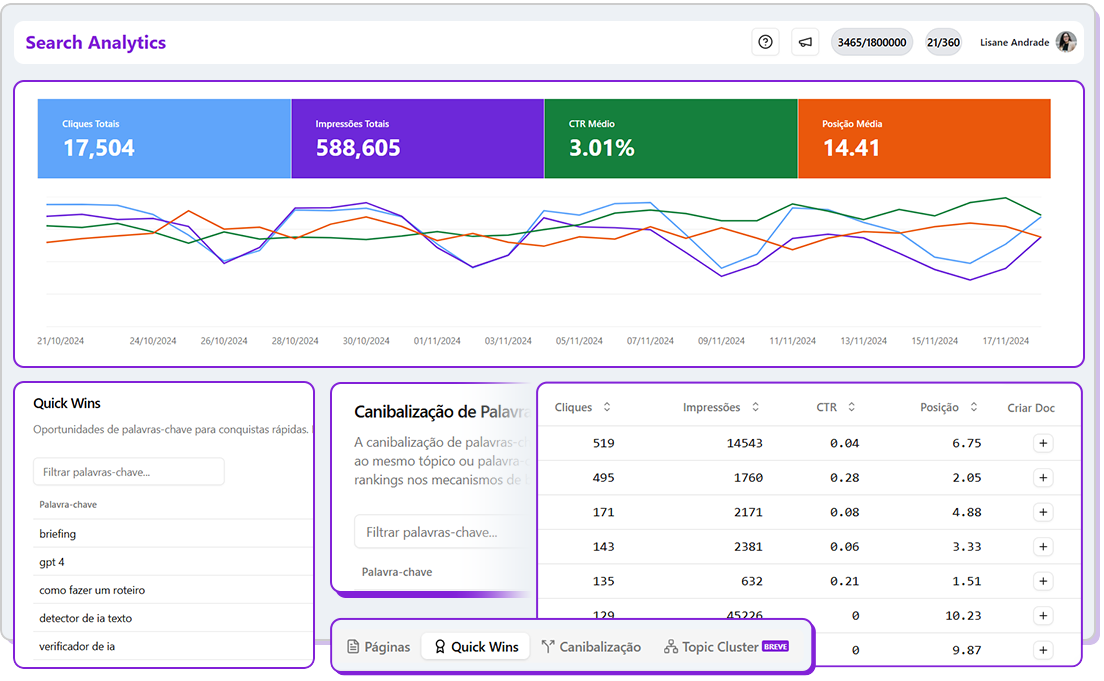
Forget the limitations of standard Google Search Console (which hides much of your data). In Niara’s Search Analytics, you have access to the performance of up to 5,000 keywords and pages on your site.
Track the performance of your new article with exclusive reports:
- See exactly which terms are bringing traffic (without the dreaded “not provided”).
- Use search intent filters.
- Identify performance drops or spikes before they become a problem.
Bonus: Do you have a YouTube channel?
If you already have video content, why not leverage it to create a unique text? And you don’t need to start from zero or spend hours watching the video to take notes.
Where to click?
Click on the left sidebar menu Extra Tools > YouTube to Article.
What to do?
Paste your video link, and Niara transforms the transcription into an SEO-optimized blog article in seconds.
This is smart content repurposing.
At Niara, you are always in control 💜
Did you notice? You didn’t need to be an algorithm expert. You followed a logical flow:
- Configured your brand.
- Chose the topic with data.
- Generated the briefing based on SERP and competitors.
- Wrote and adjusted until the score turned green.
- Monitored the data.
- Optimized to always stay in a good position, on Google and AIs.
Niara does the heavy and repetitive lifting, but you are the pilot. The final review, the human touch, and the strategy are yours.
Now that you have the map, how about creating your first article? Sign up for free and follow this step-by-step guide.