
Did you know that, in addition to ChatSEO, Niara also has a section for Tasks? Both features were designed with the goal of transforming your workflow!
Instead of spending hours on a single task, you can now perform various actions in a matter of seconds.
What are Niara’s Tasks?
Tasks are ready-to-use models for optimization and marketing. With them, you don’t need to chat directly with Niara as you do in ChatSEO. The process is much faster!
In total, there are 24 tasks strategically designed for the SEO workflow. The objective is to boost the productivity of analysts and content producers, whose work can often take hours to complete.
We know that daily work requires a lot of creativity and energy. At times, it’s inevitable: we can spend minutes, hours, or even days staring at a blank screen, not knowing what to do. It’s normal.
But to overcome this, artificial intelligence has emerged as an alternative to break through the creative blocks that so often plague professionals. With the right tools, you can perform a wide variety of jobs in just a few seconds. Did you know AI can speed up the work of SEO professionals by up to 10 times?
This makes it easier to generate new topic ideas for blog articles, create more persuasive SEO titles, write attractive meta descriptions, produce content for social media, and understand how to connect with your audience in a targeted and effective way. These are just a few of the functionalities our Tasks offer.
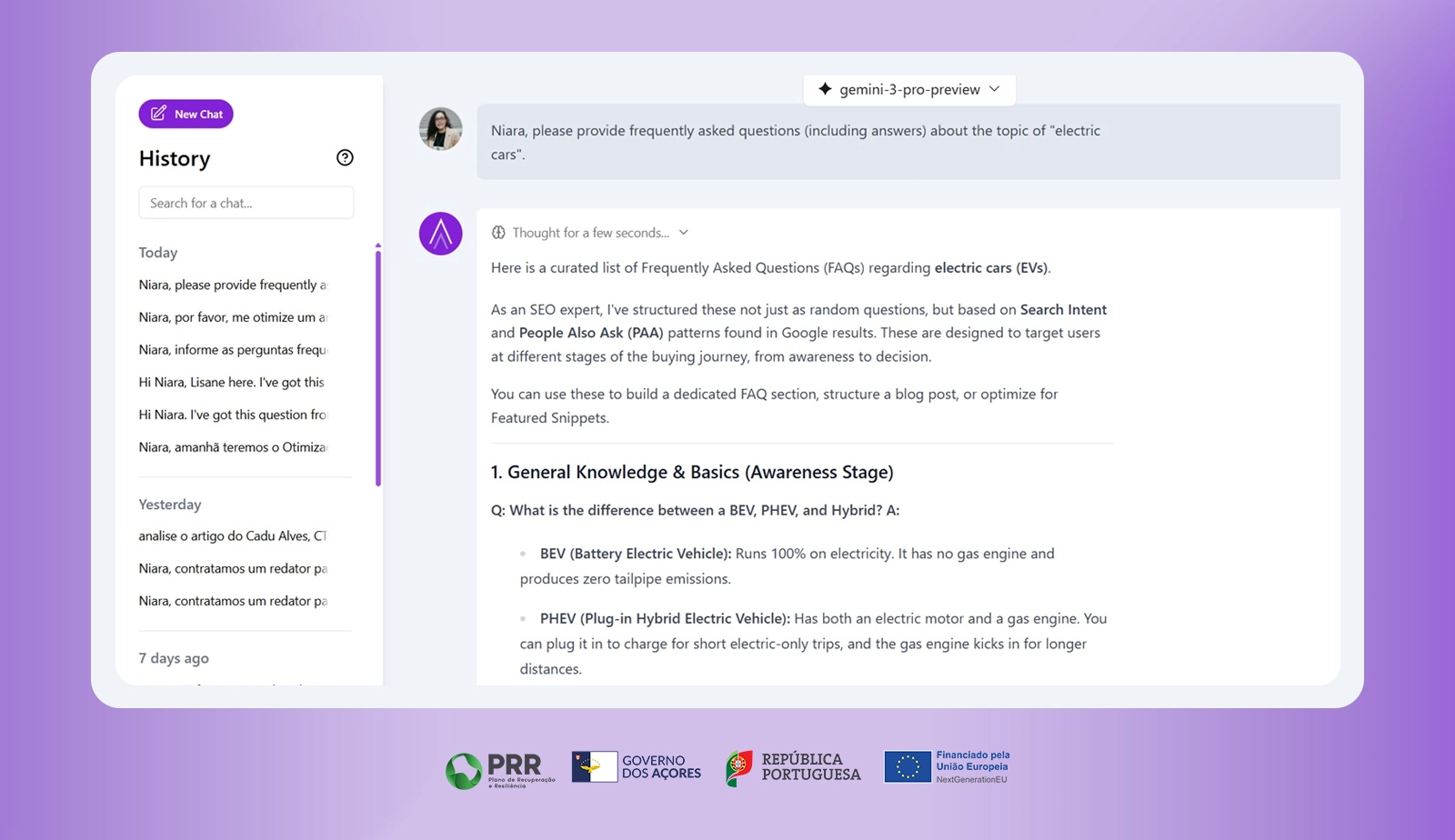
Be sure to also check out our guide on how to create complete articles with Niara’s ChatSEO and Tasks!
A Look Inside Niara’s Pre-built Models
When you log into the platform, you’ll immediately see the Tasks section. Each one serves a specific purpose and is ideal for jobs like optimizing products for e-commerce, creating content for blogs, and even managing social media.
Consider this example:
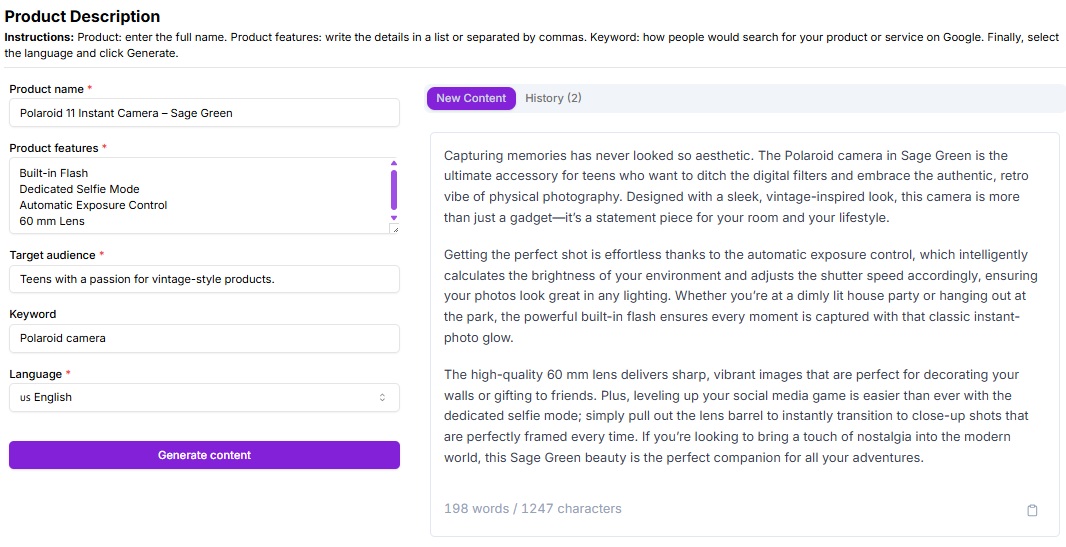
Instead of spending hours trying to create a product description, ask Niara to do it directly in the Tasks section. There’s no need to enter an SEO prompt like in the chatbot; simply input the requested information into the fields, and Niara will work its magic!
How to Use the Tasks: A Step-by-Step Guide
1. Choose the Model
As mentioned, we have 24 Tasks available. They are primarily designed for three applications:
- Products
- Content Creation
- Social Media
The right Task depends on the channel you’re working on and your strategy. The great thing is that any professional can use the tool’s features, whether you’re an SEO expert or not.
For this example, let’s choose the “Blog Post Introduction” Task.
2. Enter the Information
Each task has fields that request specific information. Remember that everything you write directly impacts the result Niara provides. If the information is too generic, the tool will offer a generic response.
Just like in ChatSEO, describe exactly what you need. If you want the tool to return personalized and creative text, provide as much detail as possible.
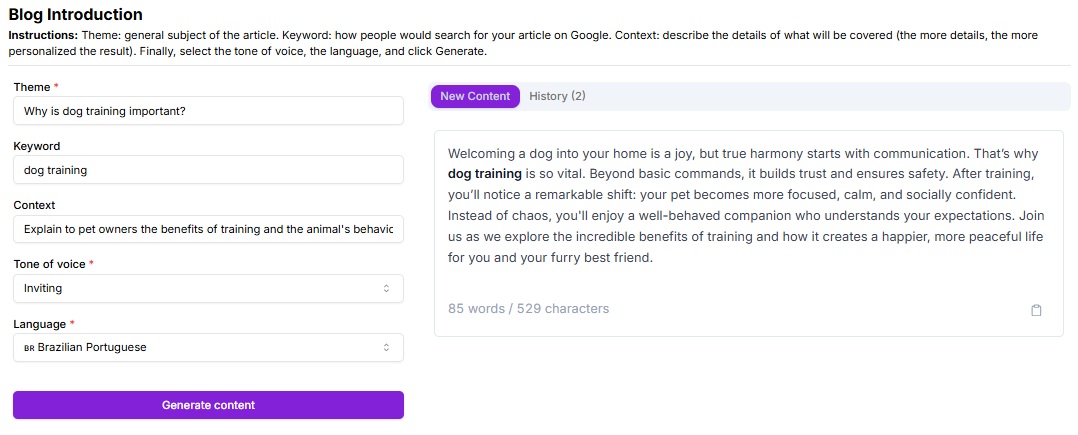
Let’s use this article as an example. The Blog Post Introduction Task asks for a topic, a keyword, and context.
- Topic: The general subject of your content.
- Keyword: The main term used in the text.
- Context: All the details about what will be covered.
Additionally, you can select the language (pt-br or en-us) and the tone of voice for the text.
The tone of voice is how a brand expresses itself through its written content. It’s how you communicate with your audience and the personality you want to convey. To define yours, consider your target audience, writing style, and the language used across all communications.
In Niara, you can choose from six options—ranging from informative to casual.
Imagine we are writing a text about the importance of dog training.
Our commands could be:
- Topic: Why is dog training important?
- Keyword: dog training
- Context: Explain to pet owners the benefits of training and the animal’s behavior after the training.
Next, just click “Generate” and wait a few seconds for Niara to produce your result. You can generate as many times as you like until you get the response you want. Feel free to change the tone of voice, the information, and anything else until you achieve your desired outcome.
Here was the result:
Because it’s a technology powered by machine learning, the tool gets smarter over time. This means that the more you use Niara’s features, the more specific and tailored to your needs it will become. Cool, right?
3. Copy and Paste It Anywhere!
When you’re satisfied, click the icon in the top right corner to copy your text. Then, simply paste it wherever you want.
The best part is that everything you generate is saved in your history. So, if you ever need to access old content, just go to the task you used and find it in the history.
Soon, Niara will integrate with other tools like Page Speed Insights, Ahrefs, Semrush, and Google Keyword Planner to offer the best possible experience for professionals. 💜
Which Tasks Are Available?
When you sign up for Niara, you get access to all the tool’s Tasks. Among the most popular and user favorites are:
- Product Descriptions
- Semantic Keyword Clustering
- Topic Clusters & Pillar Posts
- Keyword Ideas
- Article Topics
- Instagram Posts
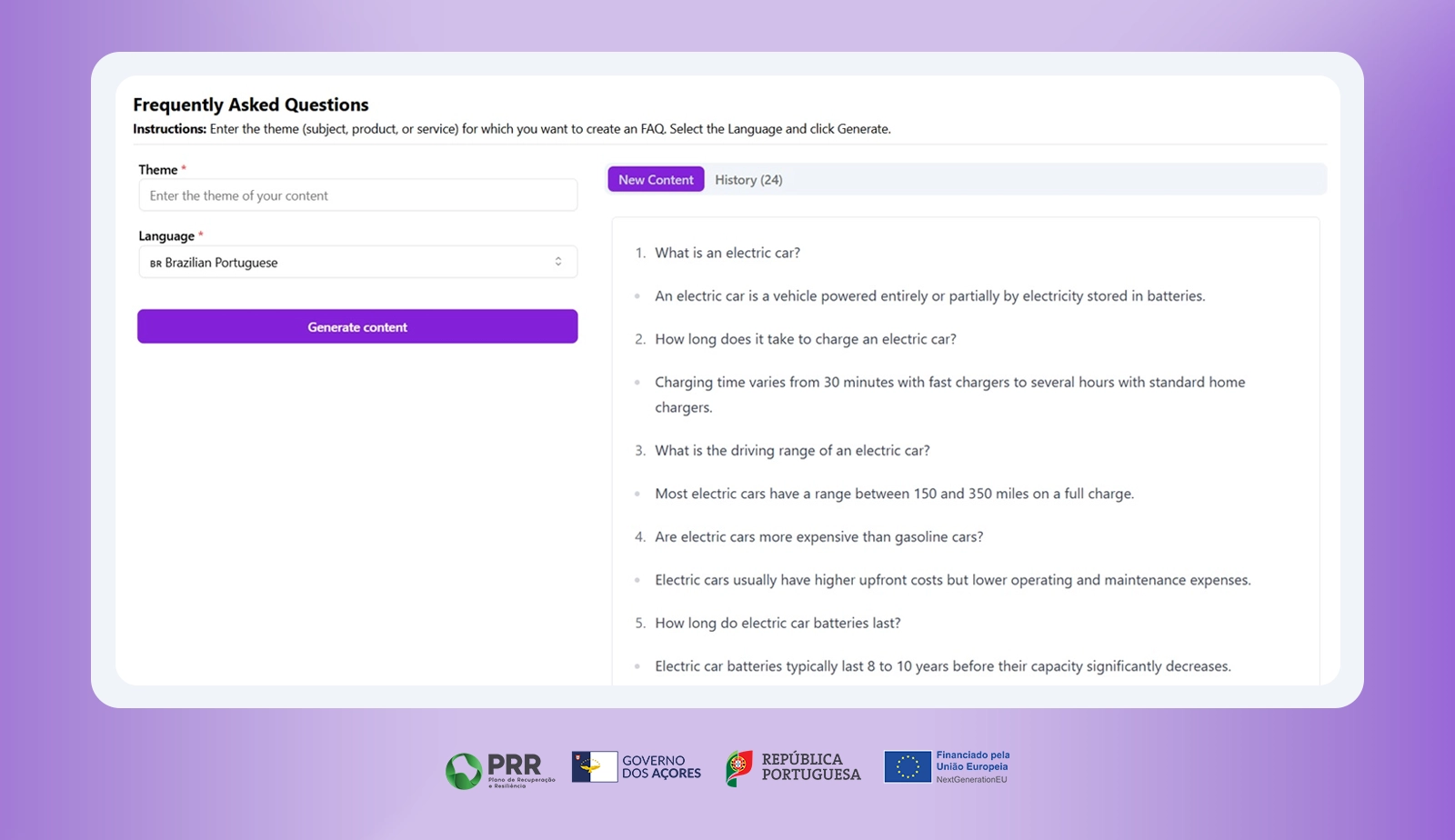
- FAQ generator
And there are many more options waiting for you!
The best part is you can try it all for free for 7 days. Just create an account, select your preferred plan, and confirm your choice. Your access will be enabled immediately.
Review is an Essential Part of Your SEO Work
Texts generated by artificial intelligence are personalized, but that doesn’t mean you should publish them without a review. Although Google permits the publication of AI-written articles, every professional should set aside time to read, add, or remove information from the generated content to prevent search engines from marking it as spam in the long run.
This can happen because AI-generated content often follows a generic pattern. While efficient, machines lack essential human qualities: creativity and emotion.
Therefore, always remember to revise what Niara or any other AI tool generates. They were developed to be assistants, not replacements for professionals. With a proper review, you can create content that is more fluid, matches your brand’s tone of voice, and is perfectly personalized for your audience.
3 Benefits of Using Tasks
Tasks will make your routine much more efficient and practical!
1. Say Goodbye to Creative Blocks
Not sure what to write or where to find new content ideas? Access the tool and choose the perfect task for your needs. On the dashboard, you’ll find everything you need to supercharge your work, especially for those complex clients that are difficult to write for.
2. The Right Direction
The tasks help you stay on the right track. Instead of wasting hours developing content that doesn’t engage, Niara helps professionals find the ideal path based on the needs of each target audience. This makes every piece of content unique.
3. Produce Much More
With Niara, you’ll never feel stuck or without direction again. The Tasks were created for professionals to do more in less time. With more hours in your day, you can focus on other important strategies for your growth in the market.
Reach new heights with the help of your AI-powered SEO tool, the first AI and automation tool for SEO in Brazil. Harness the full potential of Tasks to streamline your routine and complete your work with much more speed and ease!
Ready to give it a try? Sign up now*-. Let’s revolutionize the optimization market together. 🤩